Back to Journal

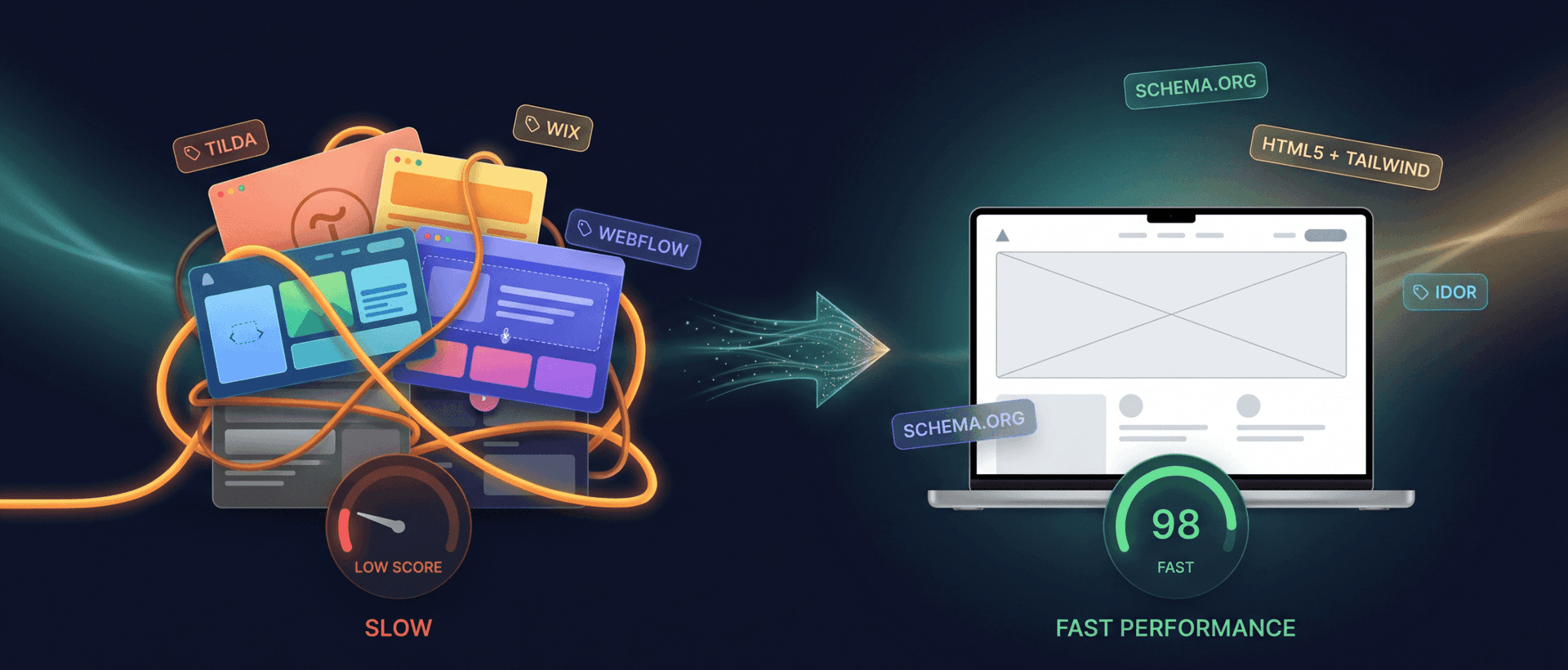
Migrating from Tilda, Wix or Webflow Without Losing SEO: A Step-by-Step Guide

Migrating from Tilda, Wix or Webflow Without Losing SEO: A Step-by-Step Guide
Migrating a website from Tilda, Wix, Webflow or another platform can sound like a straightforward technical project: copy the design, move the content, point the domain to the new website and launch. Once a website already receives organic traffic, has indexed pages, backlinks, advertising campaigns and years of history in Google, the project becomes more complicated. A successful migration needs to preserve more than what visitors can see. Important elements can include:
  • page URLs;
  • content;
  • titles and meta descriptions;
  • canonical URLs;
  • internal links;
  • language relationships;
  • structured data;
  • analytics;
  • forms and integrations;
  • search signals associated with existing URLs.
This is why a professional migration is more than recreating a Tilda page using custom code. It is a controlled transition from one technical system to another while minimizing unnecessary changes for users and search engines.

What this guide covers

TimeKairos has a separate guide explaining when a business may have outgrown a website builder. This article starts at a later stage. The decision to migrate has already been made. Now the questions are:
  • How should the existing site be prepared?
  • Which URLs should remain unchanged?
  • When are permanent redirects required?
  • What SEO elements need to be preserved?
  • How should the new website be tested?
  • What needs to be monitored after launch?

Can you migrate a website without losing SEO?

It would be misleading to guarantee absolutely no ranking fluctuations during a substantial site migration. Google explains that significant site moves can create temporary fluctuations while old and new URLs are crawled, processed and reindexed. That does not mean every migration should destroy organic traffic. Risk can be reduced by:
  • avoiding unnecessary removal of valuable pages;
  • keeping existing URLs where practical;
  • redirecting changed URLs correctly;
  • making sure the new site is crawlable after launch;
  • preserving important content and metadata;
  • updating internal links;
  • monitoring Search Console.
The correct objective is not to promise zero movement. It is to make the transition as unambiguous as possible for search engines.

Start by identifying the type of migration

1. Platform changes, URLs remain the same

For example: example.com/services remains example.com/services, but the page is no longer served by Tilda. This is one of the simpler migration scenarios from an SEO perspective because public URLs remain unchanged.

2. Platform and URLs both change

For example: example.com/t123456-page becomes example.com/services. This requires URL mapping and permanent redirects.

3. The domain changes

For example: oldbrand.com → newbrand.com. This is a full domain migration and requires additional Search Console and backlink considerations.

4. Everything changes at once

A new domain, new CMS, new URL architecture, new design and rewritten content. This is the most complicated scenario because diagnosing a problem after launch becomes much harder. Where practical, Google recommends separating major changes rather than changing everything simultaneously.

Step 1. Inventory existing URLs

Before designing the new website, identify what already exists. URL data can come from:
  • the XML sitemap;
  • Google Search Console;
  • analytics;
  • a website crawl;
  • the current CMS or website builder;
  • backlink data.
Do not rely only on the main navigation. Older landing pages and articles may no longer appear in the menu while still receiving search traffic.

Step 2. Decide what happens to every page

Existing URLs can generally be grouped into several categories:
  • keep;
  • merge;
  • move to a new URL;
  • remove because the content is no longer relevant.
Before deleting a page, review:
  • organic traffic;
  • search impressions;
  • backlinks;
  • advertising use;
  • internal links;
  • business value.

Step 3. Preserve URLs where possible

If a page continues to serve the same purpose, changing technology does not require changing its URL. Keeping stable URLs can make migration easier for users, search engines, analytics and external links.

Step 4. Create a redirect map

If URLs need to change, each old URL should be mapped to the most relevant new destination. For example: /old-web-design → /services/web-design rather than automatically sending every old page to the homepage. Redirecting unrelated content to one generic destination does not accurately represent what happened to the original page.

Step 5. Use permanent redirects for permanent moves

When a page has permanently moved, server-side permanent redirects such as HTTP 301 or 308 are commonly appropriate. They tell users and search engines that the resource has a new permanent location. Where possible, redirects should lead directly to the final destination rather than passing through unnecessary chains.

Do 301 redirects lose PageRank?

Google states that 301 and other permanent redirects do not themselves cause a loss of PageRank. That does not mean every migration will preserve every ranking automatically. Problems can still occur when:
  • an old URL is redirected to unrelated content;
  • important pages disappear;
  • the new website cannot be crawled;
  • content changes substantially;
  • other technical mistakes are present.

Step 6. Preserve content that already works

A migration does not always need to be combined with a complete rewrite of every page. If a page already receives relevant organic traffic, preserving its core content during the initial move can reduce unnecessary variables. Large editorial changes can be made as a separate stage after the migration has stabilized. Pay particular attention to:
  • H1 and headings;
  • primary copy;
  • FAQs;
  • pricing;
  • images;
  • alternative text;
  • internal links;
  • important calls to action.

Step 7. Preserve SEO metadata

Metadata is easy to lose because it is not normally visible in design mock-ups. Review:
  • SEO titles;
  • meta descriptions;
  • robots directives;
  • canonical URLs;
  • language attributes.

Step 8. Check canonicals

After launch, canonical tags should not accidentally reference a staging environment, old platform or incorrect destination. Every indexable page should have a clear canonical strategy.

Step 9. Remove temporary noindex rules

Development sites are often intentionally blocked from indexing. Before production launch, review:
  • robots.txt;
  • meta robots;
  • HTTP headers;
  • CMS settings;
  • firewalls;
  • bot-protection rules.
Accidentally leaving noindex on production can create a much larger SEO problem than changing website technology.

Step 10. Update internal links

Internal links on the new site should point directly to final URLs. Avoid structures such as: new page → old URL → 301 → new URL. Review:
  • navigation;
  • footer links;
  • article links;
  • CTAs;
  • breadcrumbs;
  • related content;
  • cards and components.

Step 11. Preserve multilingual relationships

A website with Ukrainian, Russian and English versions requires additional migration checks. Equivalent language URLs should remain logically connected. Review:
  • lang attributes;
  • hreflang;
  • canonicals;
  • the language switcher;
  • redirects;
  • metadata for each language.

Step 12. Review structured data

Structured data can disappear during a platform migration or become duplicated when a new system introduces its own markup. Depending on the website, review types such as:
  • Organization;
  • Article;
  • BreadcrumbList;
  • Product;
  • LocalBusiness.
A migration is also a useful opportunity to remove obsolete or conflicting schema generated by an old platform or plugin.

Step 13. Preserve analytics

Do not check only whether an analytics script loads. Test actual events and conversions involving:
  • Google Analytics;
  • Google Tag Manager;
  • Meta Pixel;
  • advertising conversions;
  • CRM tracking;
  • call tracking;
  • purchases and enquiries.

Step 14. Test forms and integrations

Complete important business journeys manually. Test:
  • forms;
  • email delivery;
  • CRM records;
  • Telegram notifications;
  • payments;
  • booking;
  • file uploads;
  • other integrations.

Step 15. Create an updated sitemap

The new XML sitemap should contain current canonical URLs. After launch, it can be submitted through Google Search Console. A sitemap does not guarantee indexing, but it helps search engines discover the current site structure.

Step 16. Monitor Google Search Console

After migration, monitor:
  • indexing;
  • 404 errors;
  • redirect problems;
  • canonicalization;
  • sitemaps;
  • Core Web Vitals;
  • search impressions;
  • clicks.

When should you use Change of Address?

Google Search Console's Change of Address tool is relevant when moving to a new domain or subdomain. It is not required simply because a site moved from Tilda or Wix to another technology while keeping the same domain.

How long should redirects remain in place?

Google recommends keeping redirects after URL changes for as long as possible and generally for at least one year. From a user perspective, important redirects can remain useful even longer when old URLs continue to exist in external links. Internal links should still be updated to final destinations.

Do you need a new domain when leaving a website builder?

No. Your website technology and domain name are separate things. Most businesses can continue using their existing domain and simply point it to the new infrastructure.

Should migration include a redesign?

Not necessarily. There are several possible approaches.

Recreate the current design

Appropriate when the problem is primarily technical.

Perform a controlled redesign

Improve mobile UX, components or selected sections while preserving the overall structure.

Rebuild the product

Appropriate when the visual design, information architecture and technical foundation are all outdated. At that point, the project is more than a migration.

When does a migration become a new development project?

Complex websites can include:
  • large product catalogs;
  • checkout logic;
  • customer accounts;
  • authentication;
  • databases;
  • booking engines;
  • ERP integrations;
  • marketplace functionality;
  • complex APIs.
In these cases, business logic may need to be redesigned and rebuilt. The project can still be migrated, but describing it as copying pages from a builder would underestimate its scope.

Is custom development always cheaper than a website builder?

No. Custom websites also have ongoing costs:
  • hosting;
  • domains;
  • maintenance;
  • development;
  • future changes;
  • monitoring.
A simple website builder can remain the more economical option for years. Custom development becomes more attractive when the business needs greater technical control, non-standard functionality or scalability.

Are website builders always slower?

No. A well-built page on a website builder can outperform a poorly engineered custom website. Custom development can offer greater control over code, resource loading and architecture, but that control still needs to be used well.

Pre-launch migration checklist

  1. All important old URLs are accounted for.
  2. The redirect map is complete.
  3. 301/308 redirects lead to relevant destinations.
  4. Production has no accidental noindex rules.
  5. Robots.txt is correct.
  6. Canonicals are correct.
  7. Metadata has been checked.
  8. Hreflang works correctly.
  9. Forms send enquiries.
  10. Analytics records conversions.
  11. Mobile has been tested.
  12. 404 behaviour has been reviewed.
  13. The sitemap contains current URLs.
  14. A rollback plan exists for critical launch problems.

What should you monitor after launch?

Monitor:
  • organic clicks;
  • search impressions;
  • indexing;
  • 404 errors;
  • redirect behaviour;
  • server errors;
  • leads and purchases;
  • advertising conversions;
  • performance;
  • Core Web Vitals.
Some temporary search fluctuation can occur during a substantial move. A sudden disappearance of a large group of pages, however, should trigger technical investigation rather than passive waiting.

The TimeKairos approach

At TimeKairos, we do not begin a migration by declaring Tilda, Wix or Webflow to be bad platforms. The first step is understanding what problem the business is trying to solve and whether a full migration is actually necessary. When migration is justified, we work on two layers at the same time: the new technical implementation and preservation of valuable parts of the existing website. This means URL mapping, redirects, metadata, canonicals, sitemaps, multilingual relationships, analytics and manual QA matter alongside design and code. For a simple presentation website, this can be a relatively compact project. For e-commerce, customer accounts or server-side applications, it is often more accurate to describe the project as replatforming or a new development project.

Conclusion

Migrating from Tilda, Wix, Webflow or another website builder should not begin by copying the visual design. It should begin with an inventory of what the existing website has already accumulated: URLs, content, search traffic, links, metadata, integrations and business logic. The technology can be replaced. Years of accumulated search signals should not be discarded accidentally with the old platform. A good migration gives users a better website while making it as clear as possible to search engines that the old content has not disappeared — it has moved correctly.

Read next

llms.txt in 2026: What It Is, Whether You Need It, and What It Actually Does

llms.txt in 2026: What It Is, Whether You Need It, and What It Actually Does

AI Website Launch Checklist: 12 Checks for Lovable, Bolt & v0

AI Website Launch Checklist: 12 Checks for Lovable, Bolt & v0

Website Technical Audit: What It Is and Why Your Business Needs One

Website Technical Audit: What It Is and Why Your Business Needs One

Liked the article? See how we apply this in practice across real client case studies.
View cases →